Your new home screen
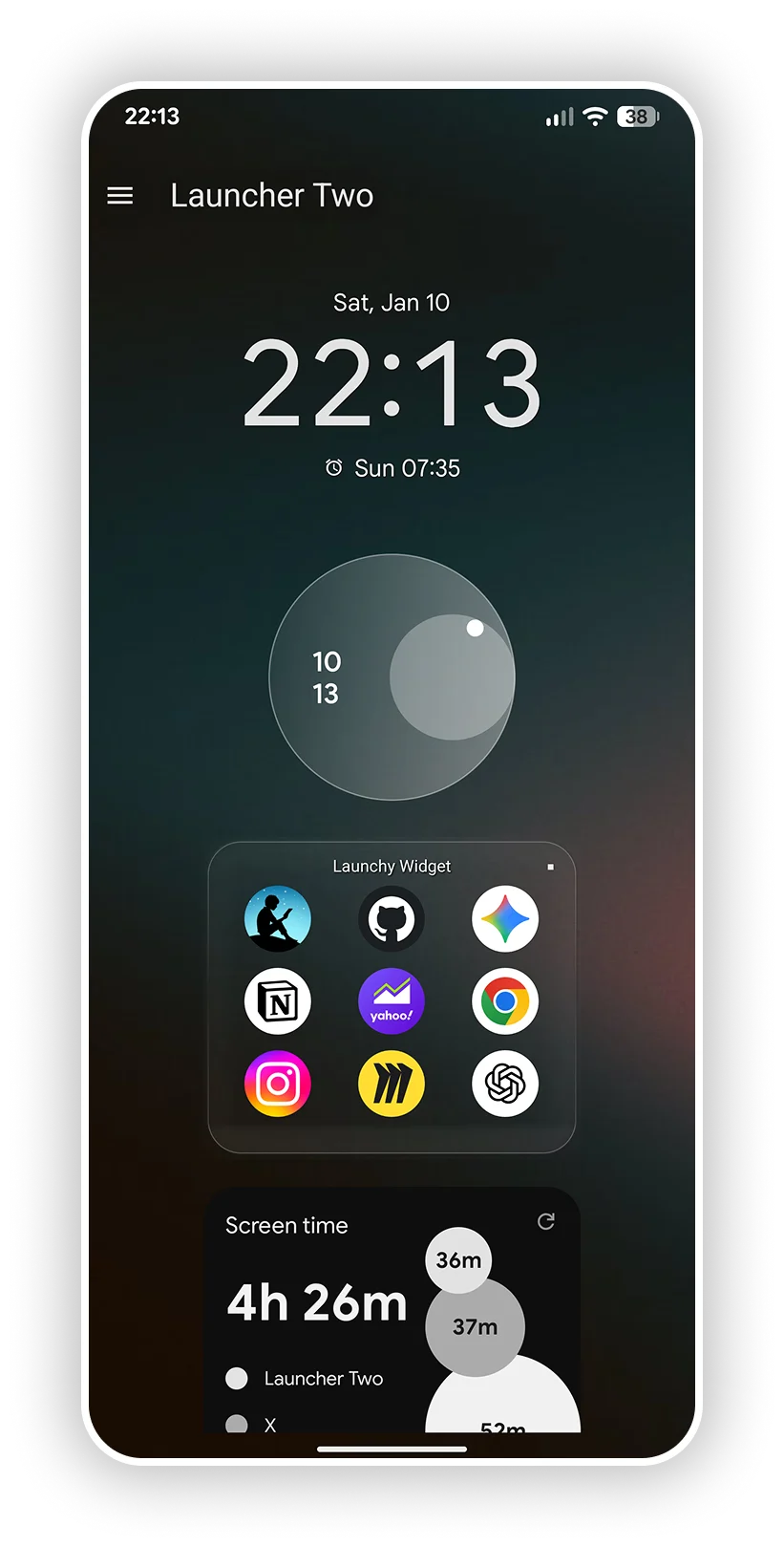
Organize your home screen in a unique way with sections, folders and a gridless layout. Launcher Two is a highly customizable, minimalism-focused home screen launcher for Android. Currently in open testing and active development.
Place and resize anything anywhere on the screen
Focused on productivity and minimalism
Floating folders and widgets
Free
no ads (Pro Options Available)
Android 12+
modern dev stack
Frequent updates
new features
Feedback driven
backed by user input
Main Features
Organize content with sections
Gridless layout and stacking
Folders for your apps
App drawer with search
Device charging animation
Unique customization options
Embrace flexibility
With L2 you can design the screen that suits your needs. You can create a minimalistic layout with a simple app list or a high productivity layout which organizes your most used apps in customizable folders.
Gridless layout and stacking allows you to place your content anywhere on the screen, and resize it to your liking.

Organize content with sections
Launcher Two uses the concept of sections to neatly organize your content. Each section acts as a gridless canvas to freely arrange your widgets and folders.
The top sections can be kept minimal, while the lower sections can hold everything else. Sections can be resized, reordered or hidden to show the content that you need. In the next releases, sections will let you customize your layout even more deeply.

Every part of the screen is yours

Minimal list

Corner layout

Icon column

Icon grid

Folder settings
What's coming next
Launcher Two is still in open testing and frequently ships new versions. Here is what is coming next. Feel free to share your ideas and feedback via the feedback link below.
Backlog
- Settings shortcuts in folders
- Widget stacks you can flip through in one spot
- Background images for sections
- Blur behind folders and widgets
- Blur your home screen wallpaper
Done
- Resize floating windows right on the home screen (Pro)
- Reconfigure a widget without adding it again
- Menus that feel the same everywhere and close with Back
- A calmer look with neutral colors and a blue accent
- Colors, borders and rounded corners for every folder or widget
Shape what gets built next
Your opinion matters. Share your thoughts and feedback and help shape the future of Launcher Two.
Feedback form
Launcher Two
Make it yours Get Creative
Free, no ads, Android 12 and up. Set Launcher Two as your default home app and make the screen yours.